Deleting an Event or a Recurrence Template does not permanently delete it. Follow the steps below to restore a deleted event.
Restoring a deleted event restores any registrations and/or reservations associated with the event. However, restoring a deleted Recurrence Template does not restore any future instances that may have been previously created prior to deleting the template. Future instances cannot be restored and must be recreated. Past instances are not removed when a template is deleted.
TABLE OF CONTENTS
Undeleting Events
Step 1
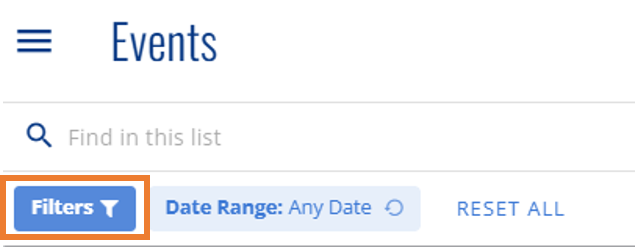
From the Events Page (single events/instances), click the filter icon to the right of the search field.
Step 2
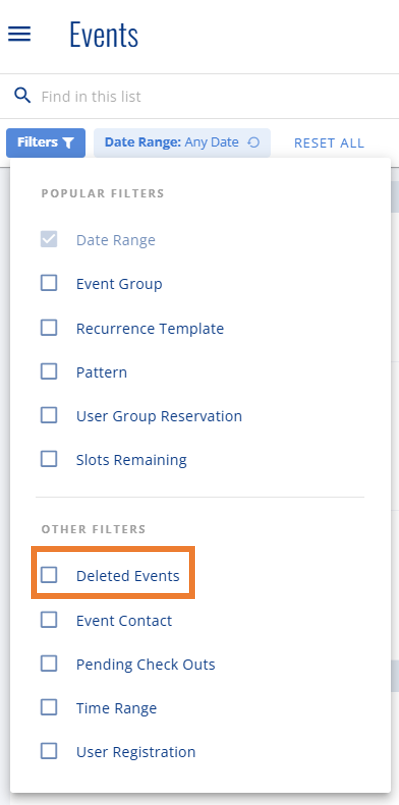
Select 'Deleted Events' from the dropdown to add that filter to the top bar.
Step 3
Click on 'Deleted Events' from the top bar and select "Only Deleted Events"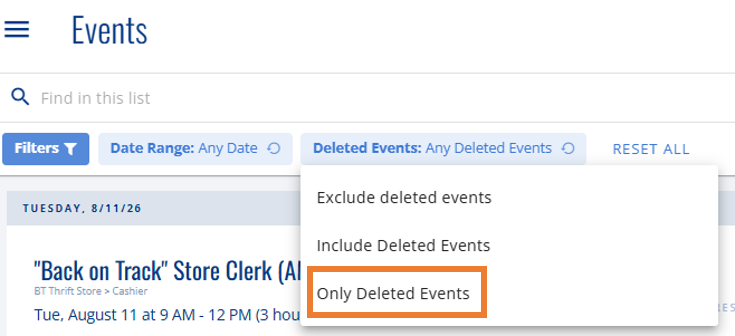
Step 3
Locate the desired event from the results that appear, click the ellipsis (...) button to the right of the event, and select "Undelete Event" from the menu that appears.

Undeleting Templates
Step 1
From the Recurrence Templates page (recurring events), click the filter icon to the right of the search field.

Step 2
Select "Only deleted events" from the Deleted Events drop-down menu. Next click 'Apply Filters'

Step 3
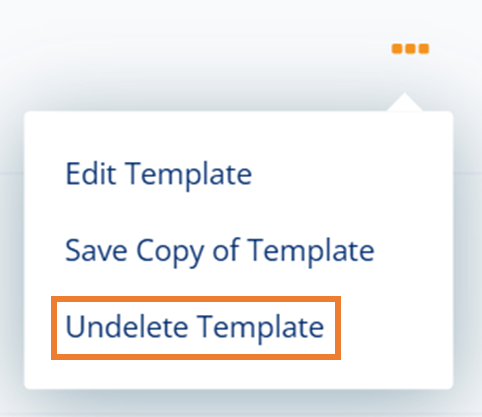
Locate the desired template from the results that appear, click the ellipsis (...) button to the right of the template, and select "Undelete Template" from the menu that appears.