The interface a volunteer uses to register for an event has been modernized.
Previously, when registering for an event, each step was its own page and navigated away from the landing page.
Now upon clicking 'Sign Up', the page does not change and instead the registration is a modal pop-up. This provides a more fluid and quicker process for volunteers.
Note: a modal is a design element that pops up over the main content of a webpage. This does not function in the same was as a regular 'pop-up' which is usually used for an ad. Modal pop-ups continue to work even if the user has pop-ups disabled.
Waiver (if applicable)
Event Registration Question (if applicable)
Registration Confirmation
Choosing to modify a registration (e.g. the event registration question) also presents a pop-up:
The same is true of cancellations:
Event Registrations Report | Slots Used Percentage
The Custom Event Registrations report now calculates the percentage of slots used when grouped by 'Event Name'.
From the Event Registrations report, set the desired 'Date Range' at the top and modify any needed columns.
Drag-and-drop the 'Event Name' column above the report.
Each registration displays the percentage taken, as well as the total slots used percentage for each event.
Note: if an event has no slot limited (unlimited), then no slots used percentages are displayed.
Bug Fixes
The following issues have been resolved:
Sometimes when creating workflows tied to a specific User Group, the name of that User Group would display twice in the selection dropdown.
An error would sometimes display when filtering on the Events page within Admin View for specific patterns (e.g. only Saturdays) while set to calendar view.

Matthew Murphy
Updated Event Registration Process
The interface a volunteer uses to register for an event has been modernized.
Previously, when registering for an event, each step was its own page and navigated away from the landing page.
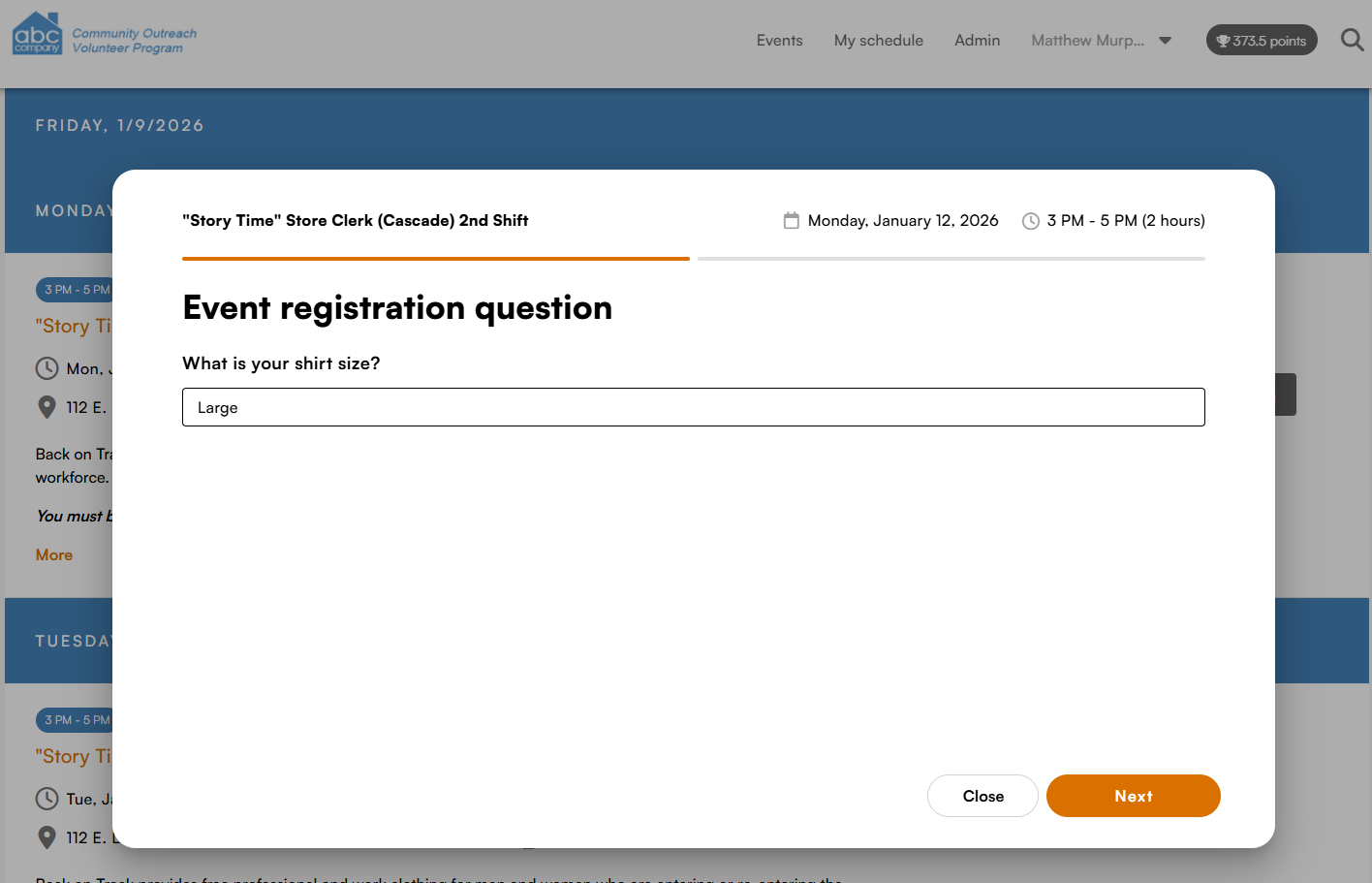
Now upon clicking 'Sign Up', the page does not change and instead the registration is a modal pop-up. This provides a more fluid and quicker process for volunteers.
Note: a modal is a design element that pops up over the main content of a webpage. This does not function in the same was as a regular 'pop-up' which is usually used for an ad. Modal pop-ups continue to work even if the user has pop-ups disabled.
Waiver (if applicable)
Event Registration Question (if applicable)
Registration Confirmation
Choosing to modify a registration (e.g. the event registration question) also presents a pop-up:
The same is true of cancellations:
Event Registrations Report | Slots Used Percentage
The Custom Event Registrations report now calculates the percentage of slots used when grouped by 'Event Name'.
Each registration displays the percentage taken, as well as the total slots used percentage for each event.
Note: if an event has no slot limited (unlimited), then no slots used percentages are displayed.
Bug Fixes
The following issues have been resolved:
3 people like this